All about remotely controlling your smart lighting
By Robbert / December 19, 2023
Welcome to the smart world of lighting! Have you ever wondered how to control smart lights from your couch or even from outside? Well, it's actually quite simple. In this article, we'll dive into the operation and intergration. We start with the most important first step: finding and downloading the right app on your smarthpone. Wondering how to do that? Keep reading! We're going to show you step by step how to pair those lights with your phone and control them remotely. And believe me, once set up, a world of possibilities opens up with your lights.
But what if you want to make old lamps smart? No worries, that's covered too. We'll tell you about the different fittings and how to match them. And yes, you can even control your lighting when you're on the other side of the world! How cool is that?


How do I control my lights remotely?
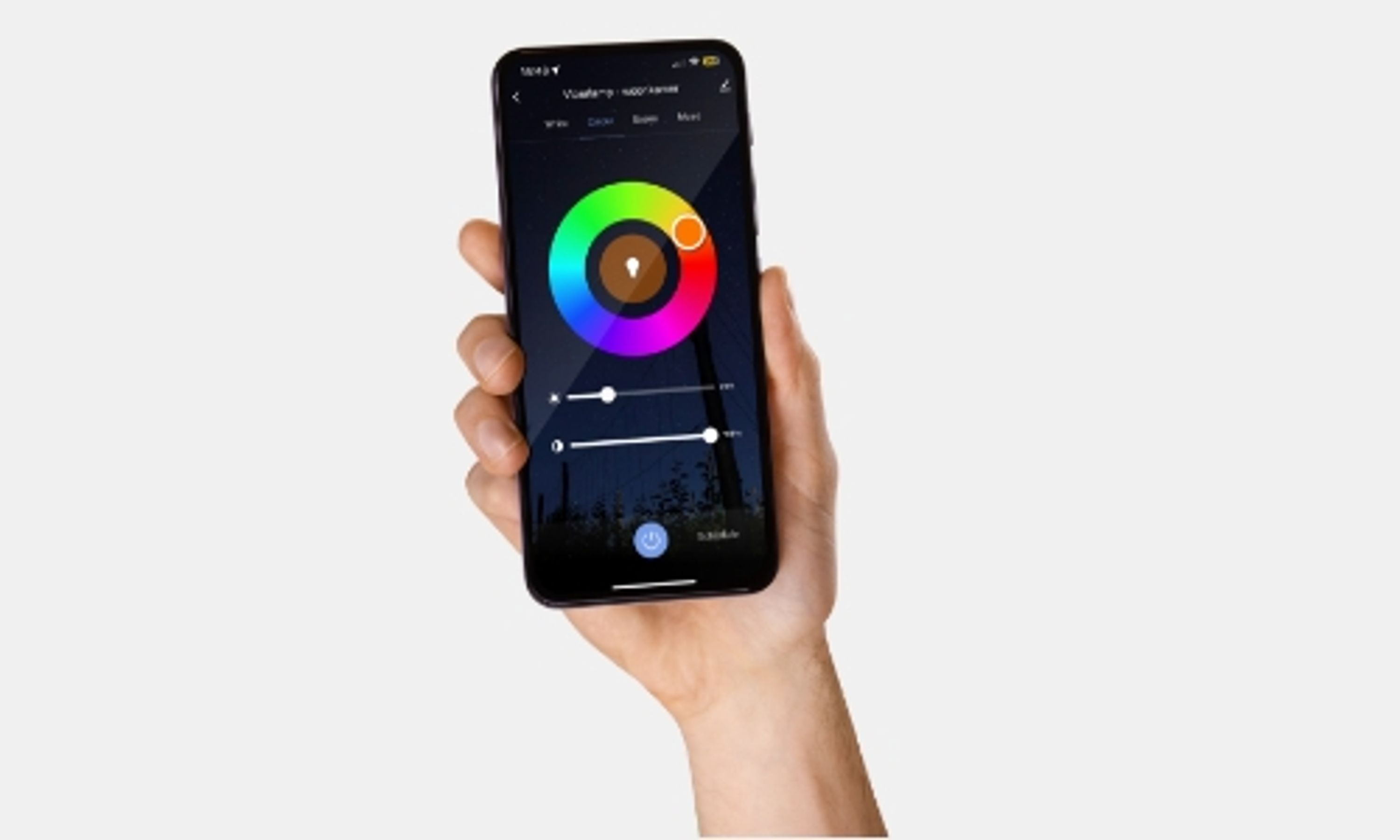
If you want to control smart bulbs from a distance, use the app that comes with your bulb. It usually says on the packaging which app you specifically need. If not, see if your lamp is based on the Tuya model (Wi-Fi lamps). Often different apps work with Tuya, so you have some choices.
Still, it is advisable to download your lamp's specific app to avoid problems and keep everything running smoothly.
For example, suppose you have a Wi-Fi lamp, you download the LUUMR app. That has a simple user environment that makes it easy to control your lamp. Download the app, create an account, follow the instructions to pair your lamp, and you're ready to control your lighting remotely.
Once installed on your smartphone, you can control the lamps with the app. Depending on the type of lamp you have, you can dim them, change colors, set them to schedules and, of course, turn them on and off.
Simply remember to check which app you need, it's often on the packaging of your lamp. Download that specific app for best results, this way you will get the most out of your smart lighting system. Enjoy the convenience of managing your lighting from anywhere and adjusting the atmosphere in your home to suit your needs.
Read more about the LUUMR app here:
Can I use a smart light source with any lamp?
The mechanism that makes a smart lamp ''smart'' is incorporated into the light source itself. So it does not matter in which lamps these light sources are turned. So it is possible to convert your existing lighting to smart lighting. How smart is that! Make sure that the smart light sources you buy have the same fitting as the existing bulbs. In most cases this will be an E27 fitting (large fitting), but it happens that it is an E14 (small fitting) or a GU10 spotlight. meanwhile, there are even smart options for the G9 plug-in bulbs!
In most cases, the app you need to install your smart bulb is listed on the bulb's packaging. If this is not the case or if you have already thrown away the packaging, don't panic. Consult the website of the brand of the lamp you have. In most cases, the lamp itself states which manufacturer made it. Here are some examples of different apps you can use to control your smart bulb:
- LUUMR - LUUMR app
- Philips Hue - Hue app
- LIFX - LIFX app
- Sylvania Smart+ - Sylvania Smart app
- IKEA TRÅDFRI - IKEA Home Smart app
- Yeelight - Yeelight app
- Nanoleaf - Nanoleaf app
- Calex - Calex app
- Xiaomi - Mi Home app
- TP-Link - Kasa Smart app
- SmartThings - SmartThings app
Keep in mind that the availability of specific apps depends on the make and model of your smart bulb. Always consult the manufacturer's documentation for the most accurate information.

Can I control my smart light when I benm abroad?
Yes, in most cases you can control your smart light with the app when you are abroad. This does differ between the different systems of your smart lighting. Because smart lighting works through an app, you only need Wi-Fi to connect it once. Once this is done, you can control the lamp remotely from anywhere. Even if you go abroad.
Make sure the app you use to control your smart bulb has cloud support. Many smart bulbs are linked to a cloud service, allowing you to access your device over the Internet. If you're using a smart home hub, such as a Zigbee or Z-Wave hub, make sure it has remote access. Some hubs offer remote access via a mobile app, but not all!
Make sure the location where the smart bulb is installed has a stable and reliable Wi-Fi connection. This is important for remote access. Before leaving, it is wise to check the settings and capabilities of your particular smart home solution, including the manufacturer's documentation and any supporting apps.